Visual product tour

    See how VSCRM AI goes from business content to useful conversations

    Follow the real product workflow: prepare an assistant, add knowledge, publish it, stay aware of activity, and improve with conversation insights.

    01

    Create the assistant your website needs

    Set the assistant name, welcome experience, appearance, connected knowledge, and the questions you want to collect from visitors.

    Guided assistant setup
    Welcome and appearance controls
    Website-specific configuration
    VSCRM AI assistant configuration interface
    02

    Build knowledge from the content you approve

    Use files and website URLs as maintained knowledge sources, then update individual sources when your business information changes.

    Files and website URLs
    Multiple knowledge sources
    Source replacement and maintenance
    VSCRM AI knowledge and assistant workspace
    03

    Publish with one website snippet

    Choose an assistant in the Integration Center, copy its generated JavaScript, and preview how the floating chatbot will appear on your website.

    Generated embed code
    Website-origin restriction
    Built-in appearance preview
    VSCRM AI website integration and deployment screen
    04

    Review conversations and reply when needed

    Search and filter conversations, inspect the visitor exchange, and step in with a human reply when the situation needs personal attention.

    Conversation search and filters
    Human replies
    Visitor and message context
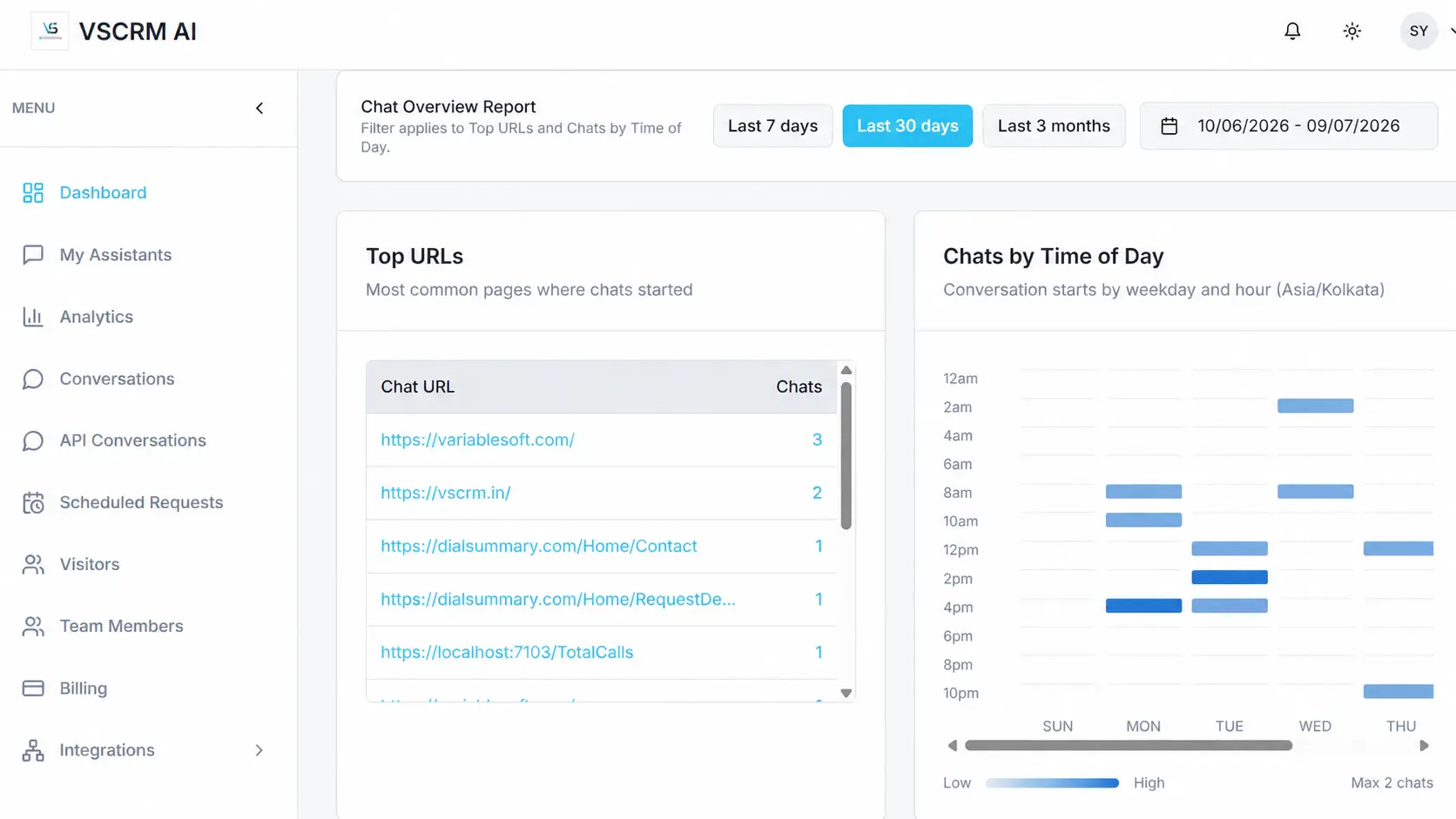
    VSCRM AI dashboard conversation overview
    05

    Learn from activity and improve

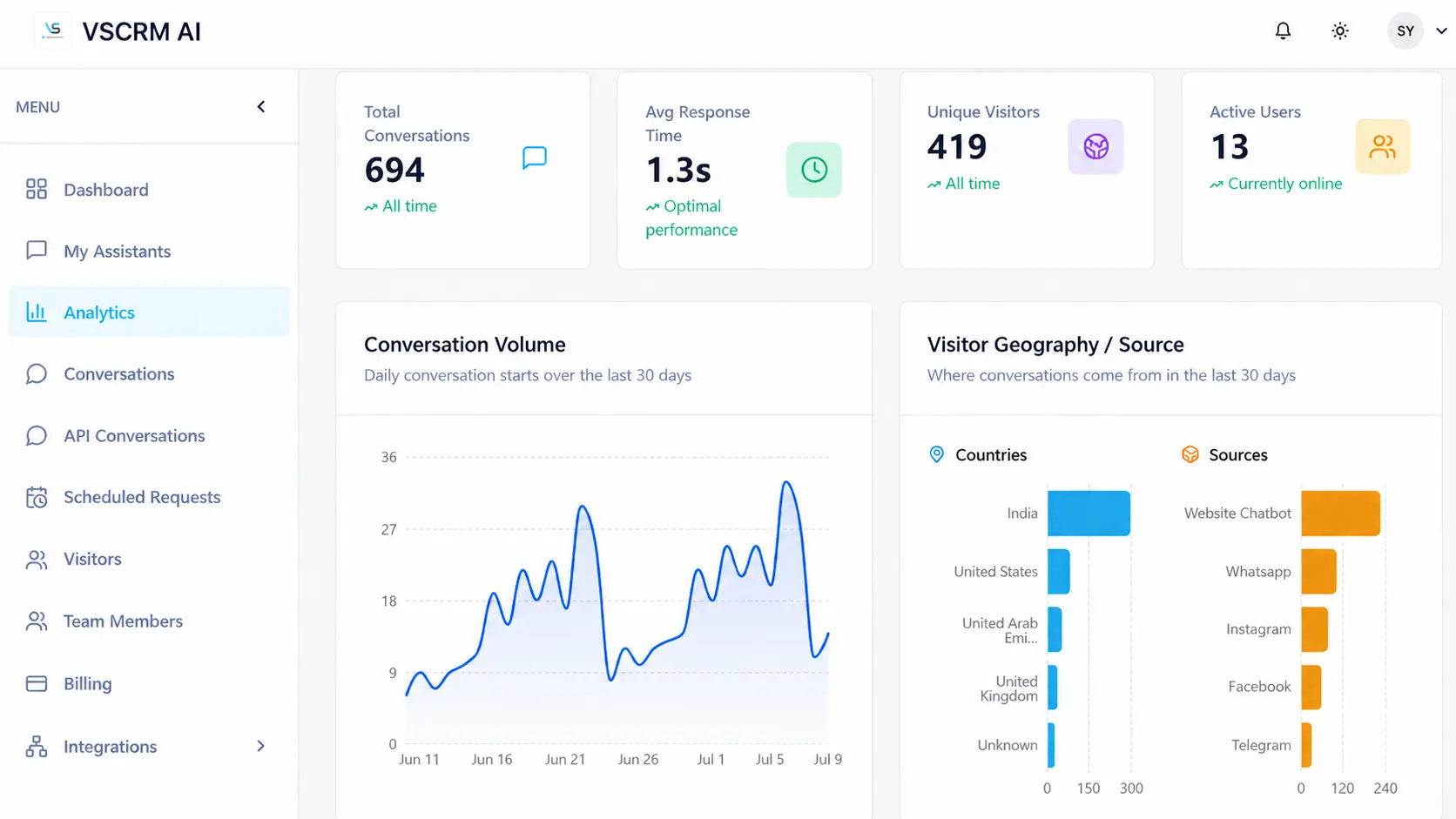
    Review conversation volume, unique visitors, active users, traffic sources, pages where chats begin, and response performance.

    Conversation trends
    Visitor and source signals
    Response-time visibility
    VSCRM AI analytics dashboard

    Stay notified

    Use supported browser and Android push notifications to stay aware of new conversation activity.

    Test important answers

    Create question sets with expected answers and review test history as knowledge changes.

    Use controlled APIs

    Create scoped keys and review conversations produced through the external AI gateway.

    Ready to build your first assistant?

    Start free or follow the setup guide before you publish.